You Don't Have to Learn Video Software to Fix an Old Home Video
You found the old home videos, someone put them on a hard drive years ago, and you decided it was finally time to make them look better. So you downloaded a free trial of an AI upscaler and watched a couple of tutorials.
Two evenings later you're reading forum threads about settings you don't understand, your laptop fan sounds like a hair dryer, and your mom's face in the preview looks like a wax figure of her.
A quick note: I run VidFixr, a service that restores old videos, so I'm not neutral. I'll be straight about when doing it yourself is the better deal.
Software is a tool, and a tool needs someone to run it
Programs like Topaz Video are powerful. They're also built for people who want to run the process themselves: choose the settings, try again when it looks off, and leave the computer working until it's done. Topaz's desktop app runs on your own Mac or PC, so how it goes depends a lot on the machine you have.
If you've got a shelf full of tapes, a recent computer that can handle it, and you enjoy this kind of project, the software can be the cheaper route. As of October 2026, Topaz lists its desktop app at $59 for a month or $299 for a year on its pricing page. In that situation, I'd buy it. Topaz also offers a browser version, so a powerful computer isn't essential for every option.
What handing it off looks like
With VidFixr, you upload the video file and choose what you want done: restore it (clean up the grain and noise and make it look sharper), add color to a black-and-white video, or both.
You'll need to make an account. Then you can request a free preview of the opening few seconds of your video, with a watermark, side by side with the original. If you like it, you pay for the whole video and download it when it's finished. The work happens on my end, so you can close the tab and come back later. You don't install anything, and your laptop isn't tied up overnight.
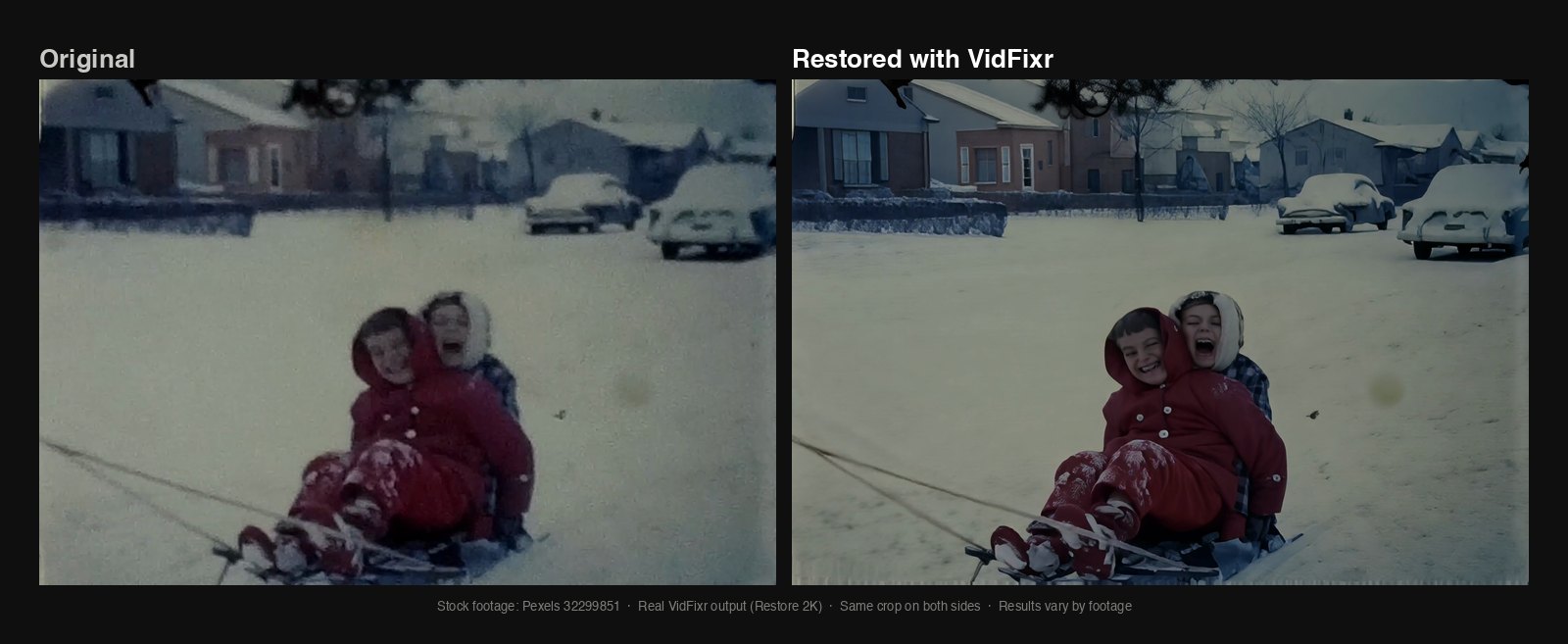
Stock footage from Pexels, restored with VidFixr at the higher 2K setting, which costs more than 1080p. The yellow mark visible in the source is still present in this result. Marks like these may remain, or become easier to see.
Most common video files work. If your file is over 4 GB, ask whoever digitized it for a smaller MP4 copy under that limit. Right now a single video can be up to an hour long at 1080p, and less at the higher settings. If a tape runs longer, ask the same person to split it into files within the limit for the setting you choose.
Check the faces before you pay
In forum threads about restoring family videos, one complaint keeps coming up: faces that come out smooth and slightly wrong, so your grandfather looks like someone doing an impression of him.
The preview only covers the opening of your video. If there are people in it, look at their faces first. If the person you most want to check isn't in that part, the preview won't show you how they'll look. If someone doesn't look like themselves, don't pay. That goes for my service as much as anyone's.
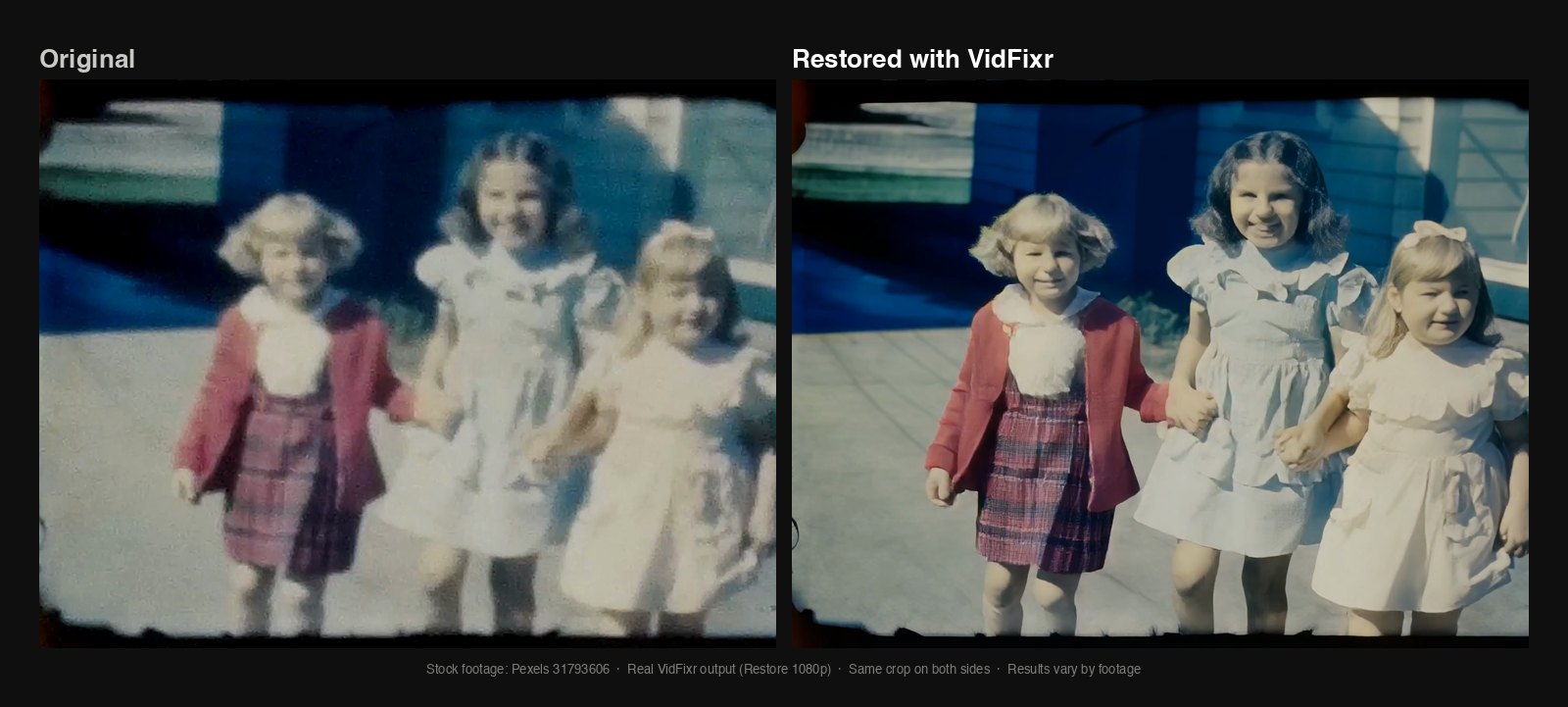
Stock footage from Pexels, restored to 1080p with VidFixr. The picture is much clearer, but look at the girl on the right: a wide grin became a small closed-mouth smile. That's the kind of change to look for in your preview.
What it costs
You pay by the minute of video, billed by the second, and there's no subscription. As of October 2026, restoring to 1080p (full HD) is $1.69 a minute, adding color on its own is $1.19 a minute, and restoring with color is $2.18 a minute, plus tax where it applies. Each paid order has a $1.99 minimum, and the preview is free. Twenty minutes of restored video comes to about $34.
A full hour of tape would be about $101, which is more than a month of the desktop software. Current prices are on the site.
If you'd rather hand it off, upload a video and look at the free preview before you decide anything.