Will AI video restoration change faces? What to check before paying
Yes, it can. A restored picture can look clearer while a person's expression changes. I've seen that happen in VidFixr results, including the two examples below. They don't show that every clip or every restoration service will behave the same way. They do show why a sharper picture deserves a closer look.
For a family video, the question is often more personal than “Does this look better?” You may want to see your sister's grin or the way your mother looked at you. If that moment feels different after restoration, extra clarity may not be worth the change.
These examples use stock footage processed with VidFixr, not customer videos. The people shown are not endorsing the service.
A clearer picture can contain a different expression
Look at the girl on the right in this comparison. In the original image, she appears to have a wide grin. In the restored result, she appears to have a smaller, closed-mouth smile. You might prefer the overall clarity and still dislike that difference.
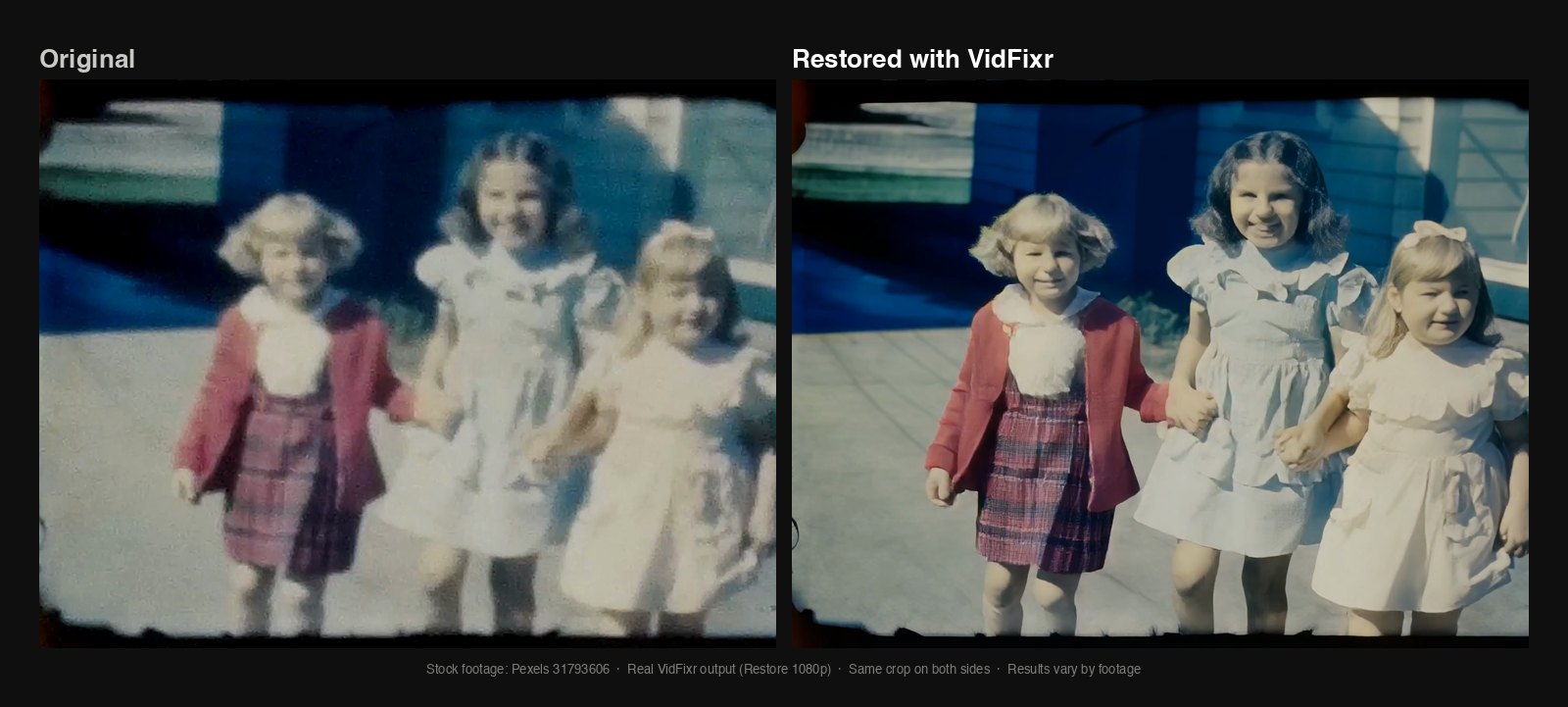
Stock footage: Pexels 31793606 · Actual VidFixr output · Results vary by footage. In this 1080p example, the rightmost girl's grin looks different from the source. This is a still comparison, not evidence that every frame looks the same.
The carousel example shows a smaller difference. The mother's mouth appears to change shape a little in the restored picture. That may matter more to someone who knows her than to a stranger looking at the demonstration.
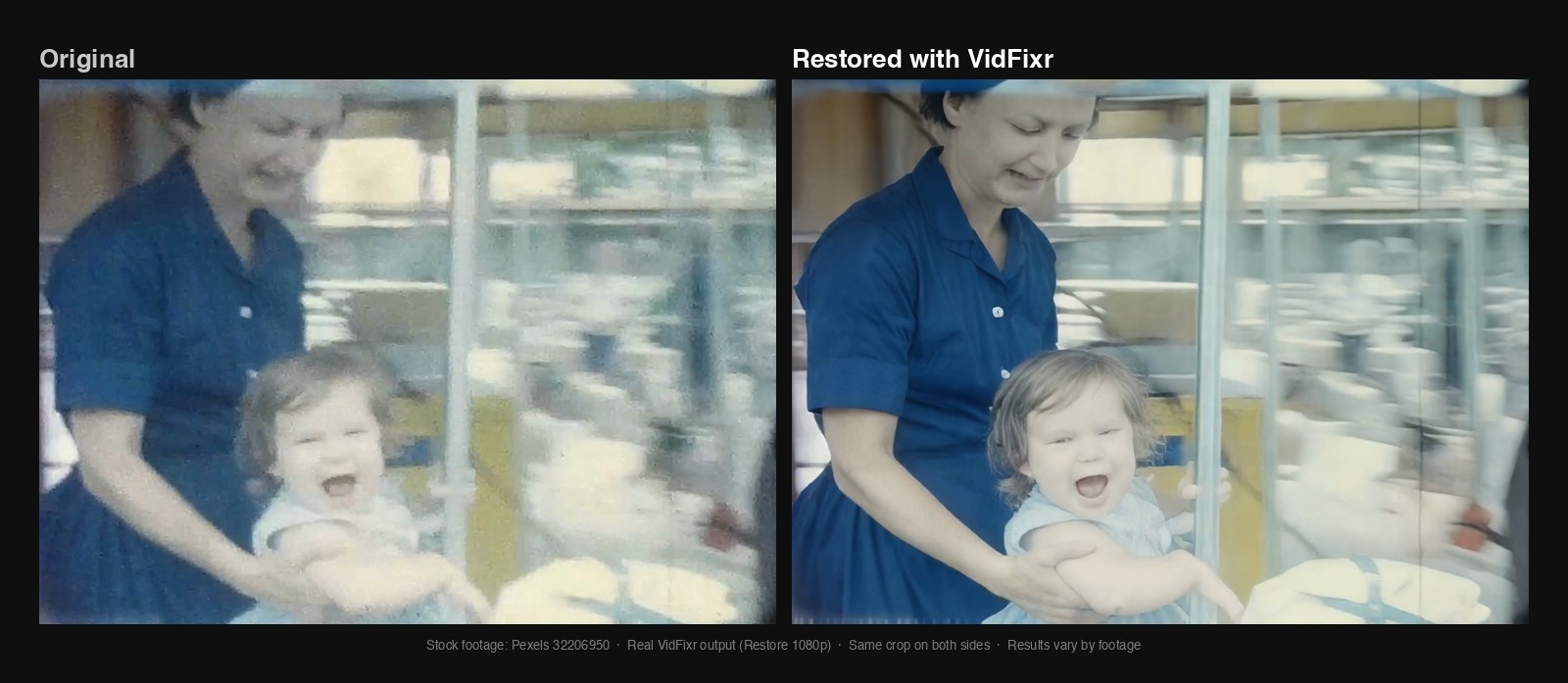
Stock footage: Pexels 32206950 · Actual VidFixr output · Results vary by footage. In this 1080p example, the mother's mouth looks a little different from the source. More apparent detail does not establish what her face originally looked like.
Neither example is a reason to reject every restored video. They're a reason to judge the people in the picture as well as the picture itself.
Look at expressions as well as sharpness
Start with the original and the result at the same moment. Look at the shape of a smile, whether a mouth is open or closed, and whether the eyes appear to carry the same expression. Ask whether the result feels like the moment you remember, rather than whether it simply looks cleaner.
Then watch the moving result. A single appealing frame can't tell you how a face looks through a turn, a laugh, or a conversation. Watch whether the expression seems consistent from moment to moment. This is something to check on your own clip, not a claim that the still images above demonstrate every possible movement problem.
You don't need to learn restoration settings to make that judgment. The useful comparison is the original person and moment against the proposed result.
Decide what changes you can accept
There isn't a universal rule for how much change is acceptable. You may be pleased that a distant face is easier to see. You may also decide that a sharper version of a familiar face feels less like the person you know.
If you're unsure, ask someone who knows the people in the recording to compare the same moments. Their opinion won't prove that newly visible details are accurate, but it may help you decide whether you want to use this version.
Keeping the softer original is a valid choice. Keep your own original file either way, so you can compare it again or choose a different version later.
Know what a short preview can show
Full processing is selected by default. Before uploading, you can choose an optional free, watermarked Preview to see a short sample before deciding on full processing.
A short sample doesn't show the whole video. Don't assume it includes the person or expression you most want to check, that you can choose any exact moment for it, or that its result proves how every later scene will look. If the important face isn't shown, that question remains unanswered.
The goal is to decide whether the improvement matters to you without overlooking what changed. For a familiar face, “clearer” and “right” deserve separate judgments.
For the wider picture of handing off a digital recording, read the guide to restoring an old home video without learning video software.