How to Improve Digitized VHS Video Quality
The family VHS tapes come back as video files. In a clip you haven’t seen in years, Dad gets up from the couch and turns toward the camera. You almost send it to your sister right there. Then you notice the thin horizontal lines that appear every time he moves.
Start by watching when the lines appear. If they follow people as they move, try a playback setting first. A jumping strip at the bottom or a picture that looks blurry even when everyone sits still calls for a different fix.
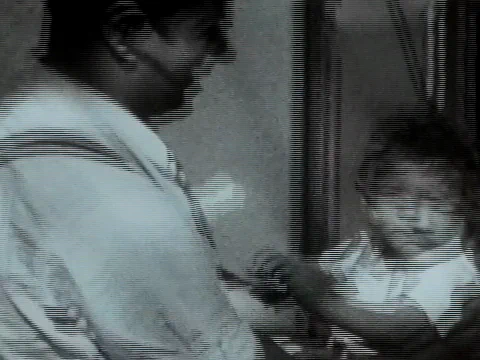
These stills illustrate the lines using stock footage shot on 8mm film. The first combines two frames to recreate the symptom. The second shows a single frame from the same clip for reference.
Fine lines around moving people
Single reference frame
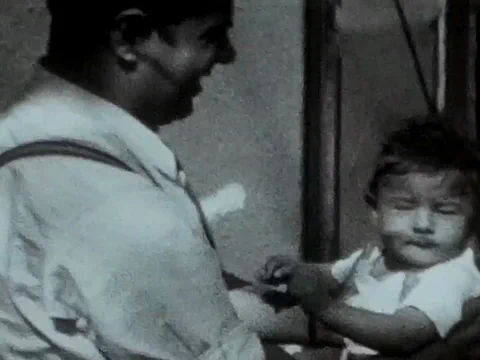
Look around the man’s shoulder and the child’s face. Footage: J.S. McDuff on Pexels.
What do you see when you press play?
Little teeth around Dad’s shirt when he moves
Open the clip in VLC on your computer. Under Video → Deinterlace, choose On, then replay those few seconds. If the edges look smoother, keep the setting on while you watch. The file itself stays the same. VLC’s deinterlacing instructions
A thick, jumping strip along the bottom of the screen
Send the transfer shop the time where it happens, for example 2:14. Ask if the strip was visible when they played the tape and whether a new transfer could help.
The whole picture looks soft, even when nobody moves
VidFixr is an online tool for improving videos you already have as files. Try it on a short excerpt where Dad turns toward the camera. On the VidFixr upload page, choose Restore & upscale and select the optional watermarked preview. Play it next to the same moment in your file. See whether his expression is easier to make out as he turns and whether he still looks like himself. That’ll help you decide if the rest is worth processing.
Check the copy your family will actually watch
If the horizontal lines disappear in VLC, play the same moment on the TV or phone your family will use. The VLC setting only changes playback in VLC. If the lines come back on another screen, ask the transfer shop for a viewing copy that plays smoothly on that device.
Still deciding whether to take the tape back or work with the file you have? Here’s how to tell when you need a new transfer or a restoration.
- improve digitized VHS video quality
- horizontal lines in digitized VHS
- restore old VHS home movies