ONLINE BLACK-AND-WHITE VIDEO COLORIZATION
See your black-and-white family videos in color
See another version of your grandparents' wedding, your parents when they were young, or your own childhood in black and white. VidFixr adds estimated color to existing video files online.
Choose colorization on its own, or add picture restoration if you want both. For a short sample first, manually select the optional free, watermarked Preview before uploading. Full processing is paid; check the quote before deciding.
An illustrated look at colorization
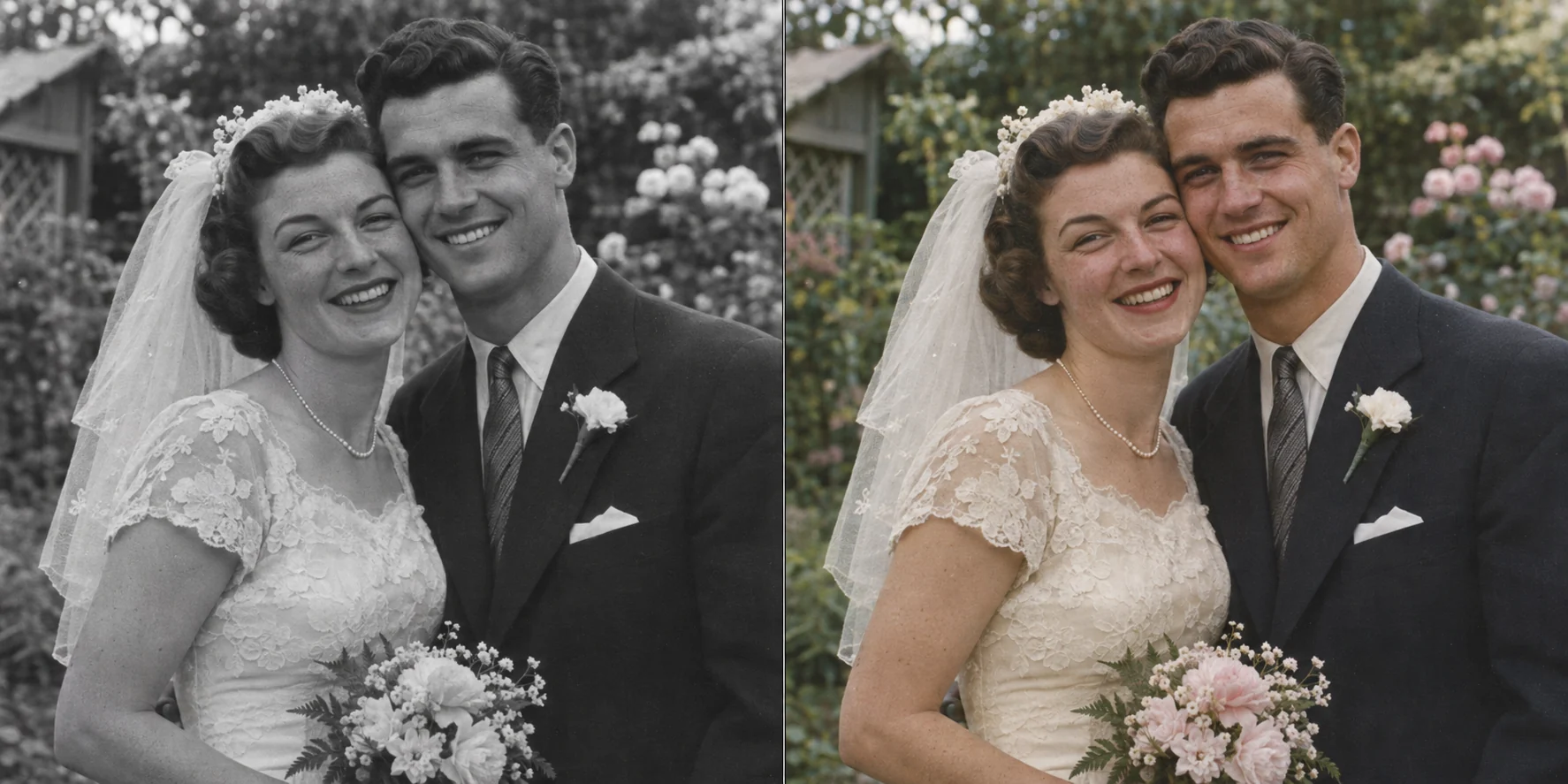
AI-generated illustration, not an actual VidFixr processing result. Left: black and white. Right: an imagined color version.
Select the optional free, watermarked Preview to review your own video before paying. AI estimates colors; results depend on the recording.
For the family moments you kept
These are possible uses, not customer testimonials.
- See an alternative, estimated-color version of a grandparent’s wedding film.
- Explore how a black-and-white childhood recording might look in color.
- Compare a short sample before choosing footage for a family gathering or keepsake.
From your video file to a result you can review
- Choose your processing options. The button above brings your selection to the upload page; you can change it there.
- Want a sample first? Before uploading, manually select the optional free, watermarked short Preview. Full processing is selected by default.
- Upload a playable video, review its quote, and pay before Full processing. Keep your original and compare the result before sharing it.
Pay for the video you process
Base Processing + Colorize Black & White only
$1.19/min
Minimum paid order: $1.99
Prices are in USD. Paid processing is billed per second using the verified video duration, with a minimum order amount. This example includes Base Processing and colorization. Adding restoration or changing its output tier changes the price. The optional free Preview is never charged. Review the actual upload quote and any applicable taxes at checkout before paying. No subscription.
Check your quote on the upload pageBefore you upload
Can I choose colorization without restoration?
Yes. Colorization alone keeps the source dimensions and does not require Restore & upscale. Choose both only if you want picture restoration as well.
Are the colors historically accurate?
AI estimates plausible colors. Clothing, skin tones, objects, and scenery may differ from the original scene; this is not a historical color record.
What files can I upload?
Use an existing playable digital video file. Physical tapes or film need digitizing first. Check the upload page for current supported formats, file-size limits, and processing-length limits.
Can I see a sample before paying?
Before uploading, manually choose the optional free, watermarked short Preview. Full processing is selected by default and is paid. The short sample does not show every scene.
Can colors change or artifacts remain?
Yes. Colors may shift between frames, appear in the wrong area, or affect film edges. Review motion and important details as well as individual frames. Keep your original black-and-white file.