ONLINE VIDEO RESTORATION
Make your old family videos easier to watch
Your childhood on a camcorder. Your parents' wedding. A family gathering you still talk about. VidFixr is an online service for improving the picture in old video files, without installing editing software.
Start with a video that plays. Choose an optional free, watermarked short Preview before uploading if you'd like to compare a sample before paying for the full video. Results depend on the recording.
An illustrated look at restoration
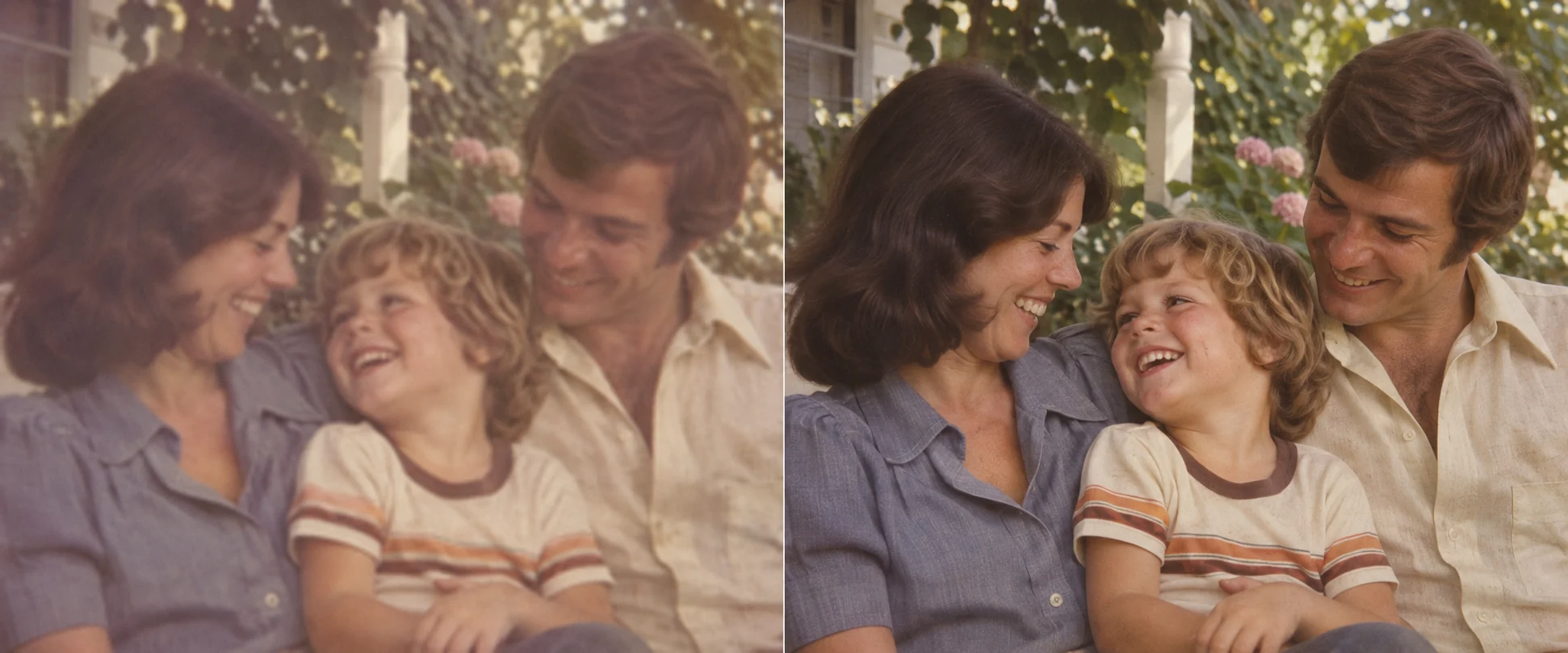
AI-generated illustration, not an actual VidFixr processing result. Left: a soft, faded look. Right: a clearer look.
Select the optional free, watermarked Preview to review your own video before paying. Results depend on the recording.
For the family moments you kept
These are possible uses, not customer testimonials.
- Make a digitized camcorder recording easier to watch with your family.
- Review an old wedding video before putting it into a family compilation.
- Compare important faces and expressions before using restored footage in a tribute video.
From your video file to a result you can review
- Choose your processing options. The button above brings your selection to the upload page; you can change it there.
- Want a sample first? Before uploading, manually select the optional free, watermarked short Preview. Full processing is selected by default.
- Upload a playable video, review its quote, and pay before Full processing. Keep your original and compare the result before sharing it.
Pay for the video you process
Base Processing + Restore & upscale at 1080p
$1.69/min
Minimum paid order: $1.99
Prices are in USD. Paid processing is billed per second using the verified video duration, with a minimum order amount. Adding restoration, changing the output tier, or adding colorization changes the price. The optional free Preview is never charged. Review the actual upload quote and any applicable taxes at checkout before paying. No subscription.
Check your quote on the upload pageBefore you upload
What do I need to start?
An existing playable digital video file. This service improves pictures in video files; it cannot repair a file that will not play or recover missing recordings. Check the upload page for current supported formats, file-size limits, and processing-length limits.
Can you process a physical tape?
Have VHS, camcorder tapes, or film digitized first. Upload the resulting playable file.
Does a Preview cover the whole video?
No. Preview is an optional short, watermarked sample selected before upload. The full video is paid and has no Preview watermark. A sample does not show every scene.
Will it restore every detail or keep faces exactly the same?
No. Results depend on the recording. AI may change faces, expressions, textures, or fine details. Missing frames and severe damage may remain; keep your original and compare important moments.
Can I add colorization?
Yes. Add Colorize Black & White for black-and-white footage. Combining the options changes the quote.